M-Pesa API Integration in Kenya: A Pre-Production Checklist
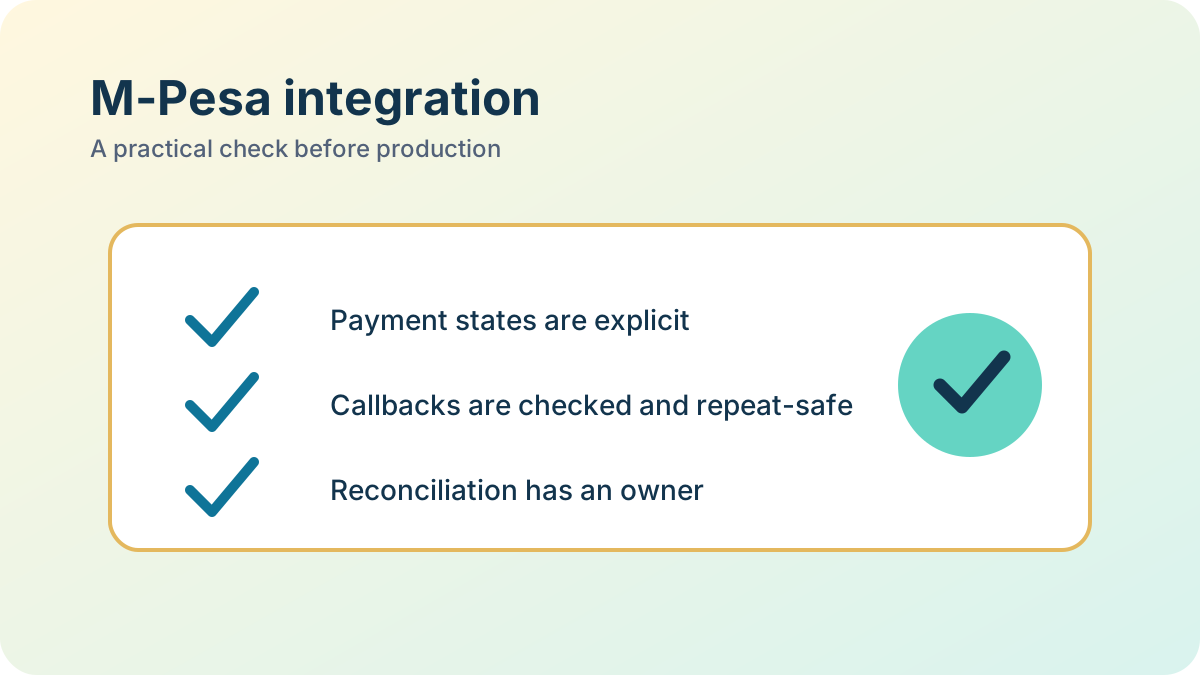
A pre-production review should answer a practical question: can the business accept, verify, reconcile, and support this payment flow when something goes wrong? This checklist is written for one configured Daraja collection flow, such as an STK Push journey tied to a customer order. The callback fields and account requirements differ by product. Confirm the exact contract for the product and account in the Safaricom Daraja developer portal.
Last updated: September 19, 2026. Record Pass, Fail, or N/A with evidence and an owner for every critical check. A critical Fail blocks launch.
Define the product and the business action
Before testing, write down which Daraja product is enabled, who initiates the payment, how the customer reference is formed, what counts as a confirmed payment, and what business action follows confirmation. For a request-initiated flow, map the provider's request reference to one internal payment attempt. Other collection products can receive payments that were not initiated by a pending checkout; route a valid unmatched receipt to an unallocated or review process instead of rejecting it with a rule designed only for STK Push.
This checklist approves operational readiness. The companion M-Pesa callbacks and reconciliation guide explains event handling and discrepancy resolution.
Production sign-off checklist
| Check | Evidence to keep | Owner | Pass rule |
|---|---|---|---|
| Product and account scope | Approved Daraja product, shortcode/account, transaction type, and callback contract recorded | Integration owner | Sandbox and production settings match the approved flow |
| Secrets and environment | Secret values are stored outside source control; access is limited; sandbox and production credentials are distinct | Security or platform owner | No credential appears in code, browser output, or routine logs |
| Callback endpoint | Current provider contract, HTTPS URL, request validation, and failure response tested | Engineering | Invalid, malformed, and unsupported events do not change payment or order state |
| Payment matching | Sanitised test record shows how an event maps to the correct order and payment attempt | Engineering | The reference, amount, and currency agree with the expected business record |
| Duplicate delivery | Results from sequential and concurrent duplicate-event tests | Engineering | One payment result produces one ledger entry, fulfilment action, receipt, and customer notification |
| Uncertain outcome | Runbook for timeout, missing callback, and delayed callback; query or statement procedure where available | Operations | Staff can investigate without treating a timeout as proof of success or failure |
| Unmatched and mismatched receipt | Example resolution for an unknown reference or incorrect amount | Finance or operations | The payment is held for review or unallocated according to policy and has an audit trail |
| Failed or cancelled attempt | Test result for rejection, customer cancellation, and an expired order | Engineering and product owner | The order stays unpaid and the customer can see a clear next step |
| Reversal or refund | Product-specific handling and authorisation path documented | Finance or operations | A later reversal is recorded as a separate event and does not disappear as a duplicate success |
| Monitoring and response | Alert route, named on-call owner, dashboard, and short incident runbook | Support owner | A missing or failing callback is noticed and someone knows how to investigate it |
| Recovery and handover | Sandbox-to-production checklist, backup/replay approach, and support contacts | Release owner | A second team member can follow the runbook without access to the original developer |
For every row, attach a test result, sanitised log reference, configuration review, or runbook link. Do not keep full phone numbers, access tokens, or unnecessary customer data in evidence. Mark N/A only when the reason and approver are recorded.
Tests that prove idempotency
A sequential retry test is necessary but not sufficient. Send the same successful event twice and confirm the internal payment reaches the same final state while the business effect remains singular. Then run two copies at nearly the same time to expose race conditions. Assert the count of each effect that matters in this application: payment-ledger entries, order fulfilment, receipts, and outbound messages.
Also test an event with an unknown request reference, a correct reference and wrong amount, a delayed confirmation after a timeout, a callback received while the database is unavailable, and a later reversal. Store the provider event or reference before applying the business effect, use a database uniqueness rule or equivalent concurrency control, and make downstream effects idempotent too. A row lock around one payment update does not by itself prevent a duplicated email or fulfilment job.
The exact identifiers, response codes, retry rules, query options, and validation rules are product-specific. Take them from the current approved Daraja contract, then document any assumptions in the test plan. Do not treat a generic callback example as proof of every product's behaviour.
Go-live decision
Do not approve production because one sandbox transaction succeeded. Require all critical rows to pass, assign a person to unresolved N/A items, and rehearse the uncertain-payment and duplicate-callback procedures with the people who will support the integration. After launch, reconcile provider records against internal payment records on a defined schedule and review exceptions until they are resolved.
If the M-Pesa request is part of a WhatsApp checkout, the WhatsApp bot planning guide describes the customer journey and human handoff that sit around the payment step.
A practical next step
Need help applying this to a real system?
Statum can help turn the idea into a scoped piece of work. See our software services, browse completed projects, read the developer documentation, or start a project conversation.
Bob Mwenda
Bob Mwenda is a software engineer at Statum with over ten years of experience building business applications and integrating enterprise systems. His work spans Java, Spring Boot, PHP, Laravel and Vue.js, including API integrations, payment and messaging systems, and application deployment. On the Statum blog, Bob writes about software development, business automation and the practical decisions behind building and maintaining software. His articles help business owners and developers understand implementation options, technical trade-offs and common pitfalls.